
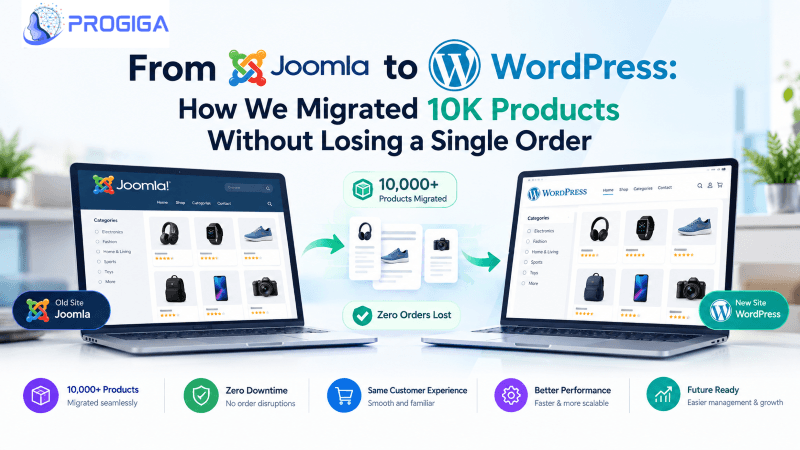
The Situation
A growing online retailer came to us with a critical bottleneck.
Their storefront was running on Joomla with J2Store — a stack that had served them well previously, but had grown slow and unwieldy. The admin area dragged, small changes demanded custom code, and finding experienced Joomla maintainers was getting increasingly tough.
They decided to transition to WordPress + WooCommerce for:
- A vast ecosystem of qualified developers
- Tens of thousands of active plugins
- Straightforward day-to-day catalog management for their team
- Superior organic search tools right out of the box
- Substantially reduced long-term maintenance overhead
Straightforward on paper, but the sheer volume of production data raised the stakes:
- 10,247 products — multiple image galleries, nested categories, attributes, and custom meta
- 15,000+ customer records spanning 5 years of transactions
- 200+ blog articles with established search rankings and rich metadata
- Non-stop live order flow where platform downtime was unacceptable
- Custom J2Store extensions requiring equivalent WooCommerce implementations
Why Migrate from Joomla to WordPress?
For brands weighing this transition, here is how the two platforms compare across essential operational areas:
| Factor | Joomla | WordPress |
|---|---|---|
| Market Share | ~2.5% of all websites | 43%+ of all websites |
| Developer Pool | Declining / Niche | Massive (millions globally) |
| Extension Library | 5,000+ extensions | 60,000+ plugins |
| E-commerce | J2Store, HikaShop, VirtueMart | WooCommerce (powers 30%+ of online stores) |
| Learning Curve | Steep | Moderate / User-friendly |
| SEO Tooling | Decent, but needs custom setups | Superior (RankMath, Yoast, clean core semantics) |
| Hosting Options | Limited configurations | Virtually unlimited managed hosting options |
| Maintenance Cost | Higher (scarcity of developers) | Lower (high talent availability) |
The Migration Playbook: Our Step-by-Step Process
We execute migrations using our structured 6-phase migration framework, tested and refined across 20+ store transitions.
Phase 1: Discovery & Audit (Week 1)
Goal: Catalog every asset before modifying a single table or server configuration.
- Data audit: Enumerated every post type, custom meta field, digital asset, and URL path across the store.
- Technical audit: Documented 31 active Joomla extensions, server environments, database tables, and overrides.
- SEO audit: Benchmarked rankings for top 50 revenue-driving search terms and extracted all canonical URLs.
Phase 2: Architecture & Mapping (Week 2)
Goal: Establish clean WordPress schemas and map every source field explicitly to destination fields.
| Joomla / J2Store Field | WordPress / WooCommerce Target |
|---|---|
| Product title | Product title |
| Product description (HTML) | Product description (sanitized HTML) |
| Product SKU | Product SKU |
| Category structure | WooCommerce product categories |
| Product images | WooCommerce product gallery |
| Product variants | Product variable attributes |
| Custom fields (brand, weight) | WooCommerce product meta |
| Customer accounts | WP Users + WooCommerce Customer Data |
| Order history | WooCommerce Order entries |
| SEO metadata | RankMath SEO fields |
URL Redirection Mapping:
# Example URL Path Transformation
Old URL: https://store.com/products/item/123-product-name
New URL: https://store.com/product/product-name/
Phase 3: Data Extraction & Transformation (Weeks 3–4)
Goal: Extract, sanitize, and prepare clean database records.
- Engineered PHP extract scripts to batch export items into clean formats.
- Sanitized raw Joomla inline HTML markup to work cleanly with WooCommerce layouts.
- Rewrote and verified absolute media pathways across all 10,000+ items.
- Executed two-way record count parity checks to ensure no truncated strings or missing records.
Phase 4: Staging Environment & Testing (Week 5)
Goal: Validate customer journeys, transactional integrity, and core web vitals on a locked staging cluster.
Pre-Launch QA Checklist
- 100 random product spot-checks (galleries, variants, stock levels)
- End-to-end checkout & payment gateway validations
- Customer account login & historical order inspection
- Bulk 301 redirect map testing (zero 404 errors)
- Total count verification (10,247 products, 15,000+ customers)
Phase 5: Go-Live Cutover (Week 6 — Saturday Night)
Goal: Execute switchover with minimal disruption during the lowest traffic window.
| Timeline | Cutover Procedure |
|---|---|
| 10:00 PM | Place source store into maintenance mode |
| 10:15 PM | Final delta export of late transactions from Joomla |
| 10:30 PM | Ingest delta records into target database |
| 11:00 PM | Run database integrity verification scripts |
| 11:30 PM | Switch DNS pointers to production server |
| 11:45 PM | Disable maintenance mode |
| 12:00 AM – 6:00 AM | Live monitoring, log tracking, payment verification |
Net maintenance window: ~45 minutes.
Phase 6: Post-Launch Monitoring (Weeks 7–8)
Continuous monitoring via Search Console for crawl anomalies, payment gateway telemetry, and real-time organic traffic trends.
The Results
| Performance Indicator | Before (Joomla) | After (WordPress) | Net Impact |
|---|---|---|---|
| Page Load Time | 4.2s | 1.8s | 57% faster |
| Mobile PageSpeed | 52 / 100 | 89 / 100 | +37 points |
| Desktop PageSpeed | 68 / 100 | 97 / 100 | +29 points |
| Organic Search Traffic (90 days) | Baseline | +34% | Sustained growth |
| Data Retention | — | 100% | 0 records lost |
| Customer Support Tickets | — | 0 | Frictionless launch |
The Complete CMS Migration Checklist
You can use this practical checklist to safeguard your next store migration:
Pre-Migration
- Execute end-to-end data inventory
- Map custom fields & attributes to new platform schemas
- Produce comprehensive 301 URL redirect map
- Take full database and file system snapshots
- Establish baseline benchmarks for rankings, speed, and conversions
Migration Execution
- Extract and sanitize data structures
- Rewrite image URLs to match new folder paths
- Import data into isolated staging platform
- Validate product variations, prices, and customer histories
- Test payment gateways and cart flows
Post-Migration
- Inspect Google Search Console daily for crawl warnings
- Submit refreshed XML sitemap
- Verify analytics tagging and conversion events
- Keep rollback snapshots on standby
5 Common Migration Pitfalls (And How to Avoid Them)
1. Not mapping URLs before the migration
Overlooking redirection spreadsheets creates thousands of dead 404 links, tanking search visibility. Map every single legacy URL prior to launch.
2. Image path corruption
Joomla stores media differently than WordPress. Always run automated find-and-replace transformations on image pathways before importing.
3. Dropping custom attributes
J2Store custom fields do not automatically match WooCommerce fields. Map all metadata manually to WooCommerce product attributes or custom post meta.
4. Launching without a rollback strategy
Always keep legacy infrastructure intact until production data has run clean for several days, paired with clear DNS rollback procedures.
5. Skipping comprehensive staging tests
Allocate at least 30–40% of the project timeline to rigorous QA, edge-case testing, and customer checkout flows.
Planning an E-Commerce Migration?
Let's map out a painless, risk-free transition for your store. We handle full data integrity audits, 301 redirects, and zero-downtime cutovers.
Book a Free Migration Consultation → Free · 30 minutes · Comprehensive store review & adviceFrequently Asked Questions
How long does an e-commerce migration take?
For a standard store (under 500 products), migrations typically take 2–3 weeks. For large-scale setups with 10,000+ SKUs and custom logic, we allocate 6–8 weeks to ensure thorough testing.
Will my SEO rankings drop after moving to WordPress?
When handled correctly with complete 301 redirection maps, rankings stay intact and frequently improve due to faster load speeds. Our client experienced a +34% boost in organic traffic within 3 months.
Can I keep my current domain name?
Yes. Your domain name stays exactly the same. We configure the DNS records to point to the new hosting cluster during cutover.
What happens to existing customer accounts and passwords?
Customer accounts, address books, and order histories are migrated in full. Because Joomla and WordPress use different password hashing algorithms, users securely set a new password via the standard password-reset workflow.
How much does a CMS migration cost?
Costs depend on data volume and custom feature requirements. Basic store migrations start around $2,000, while complex catalogs with 10,000+ items typically range between $5,000 and $15,000.
.png)
